
QuickBooks Online.
The way US firms work.
Learn QuickBooks Online, US bookkeeping and payroll by doing the work — in a built-in practice company, with an AI tutor when you get stuck. Build the skills US-process accounting roles ask for. No accounting background needed.
- Module 1 fully unlocked
- No card needed
- Plans from ₹999 + GST
Real US client work — not textbook theory.
Journal entry
Every business event leaves a trail.
Adjust this example
| Account | Debit | Credit |
|---|---|---|
| Accounts Receivable | ||
| Total |
This is what QuickBooks records behind every invoice. You'll learn to read it — not just click the button.
Everything you need to get job-ready, in one place
A real learning platform, not a video playlist. Here’s what you get the moment you sign up.
Don’t just watch QuickBooks. Practise it.
Make your mistakes here — not in a client’s books.
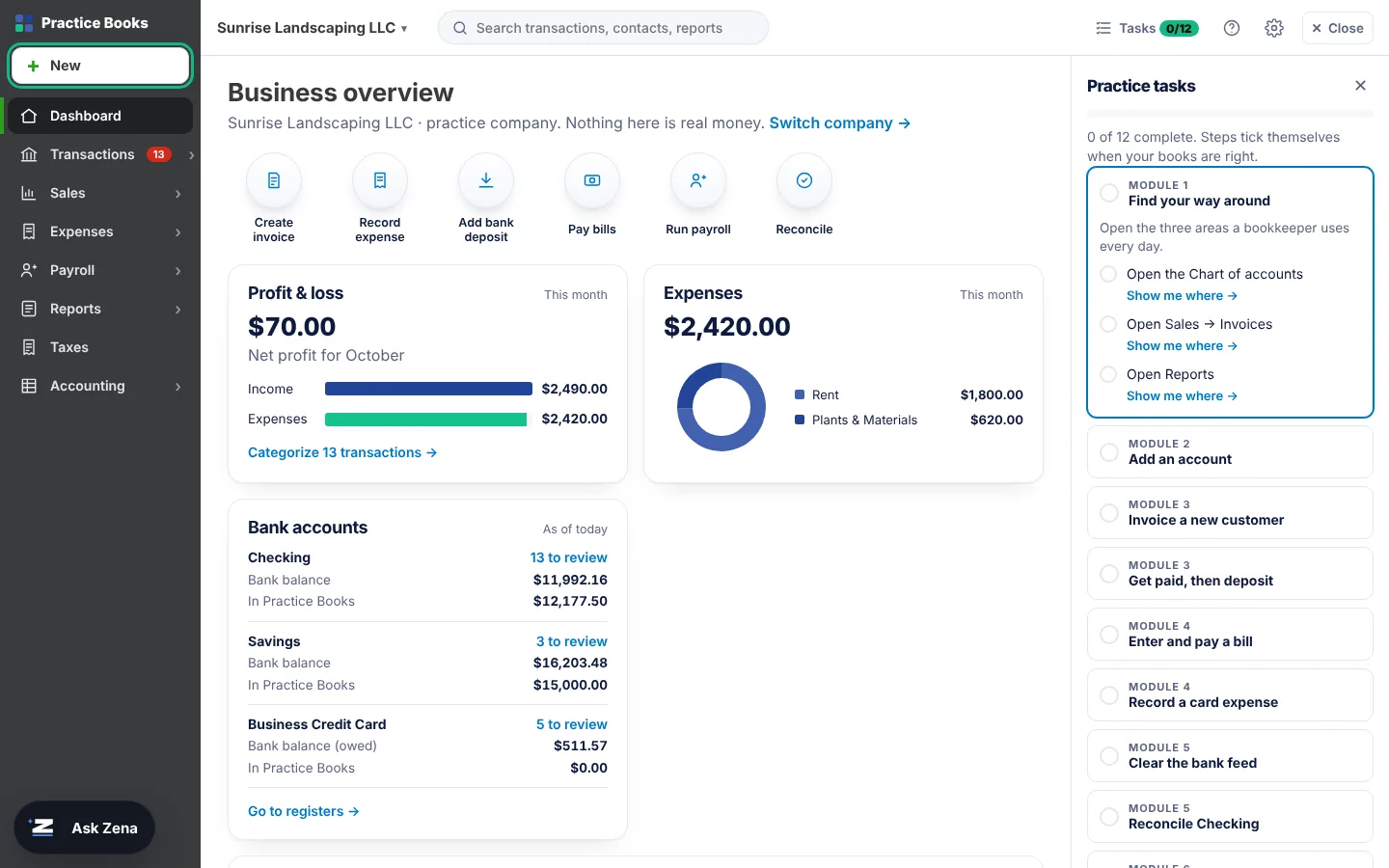
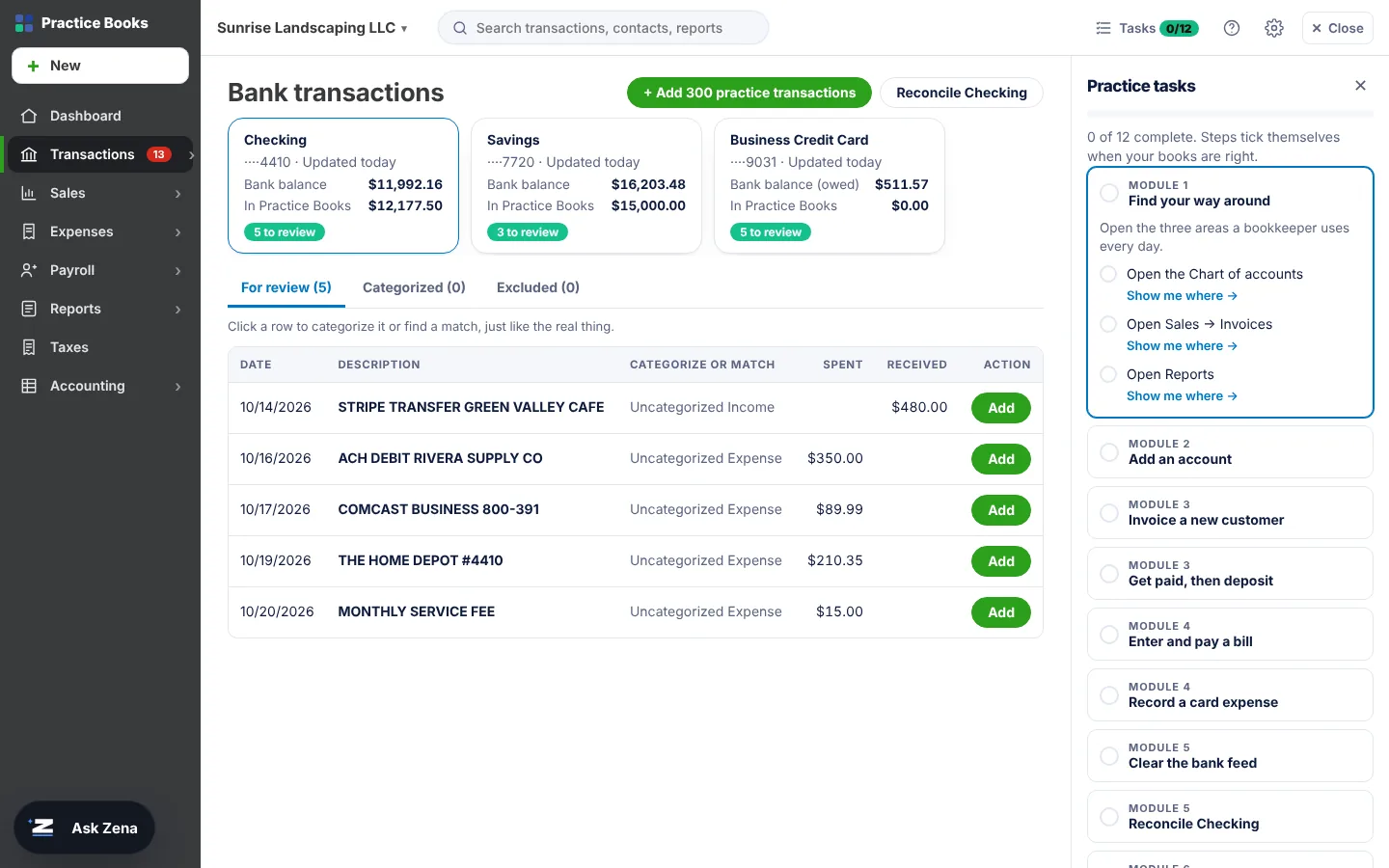
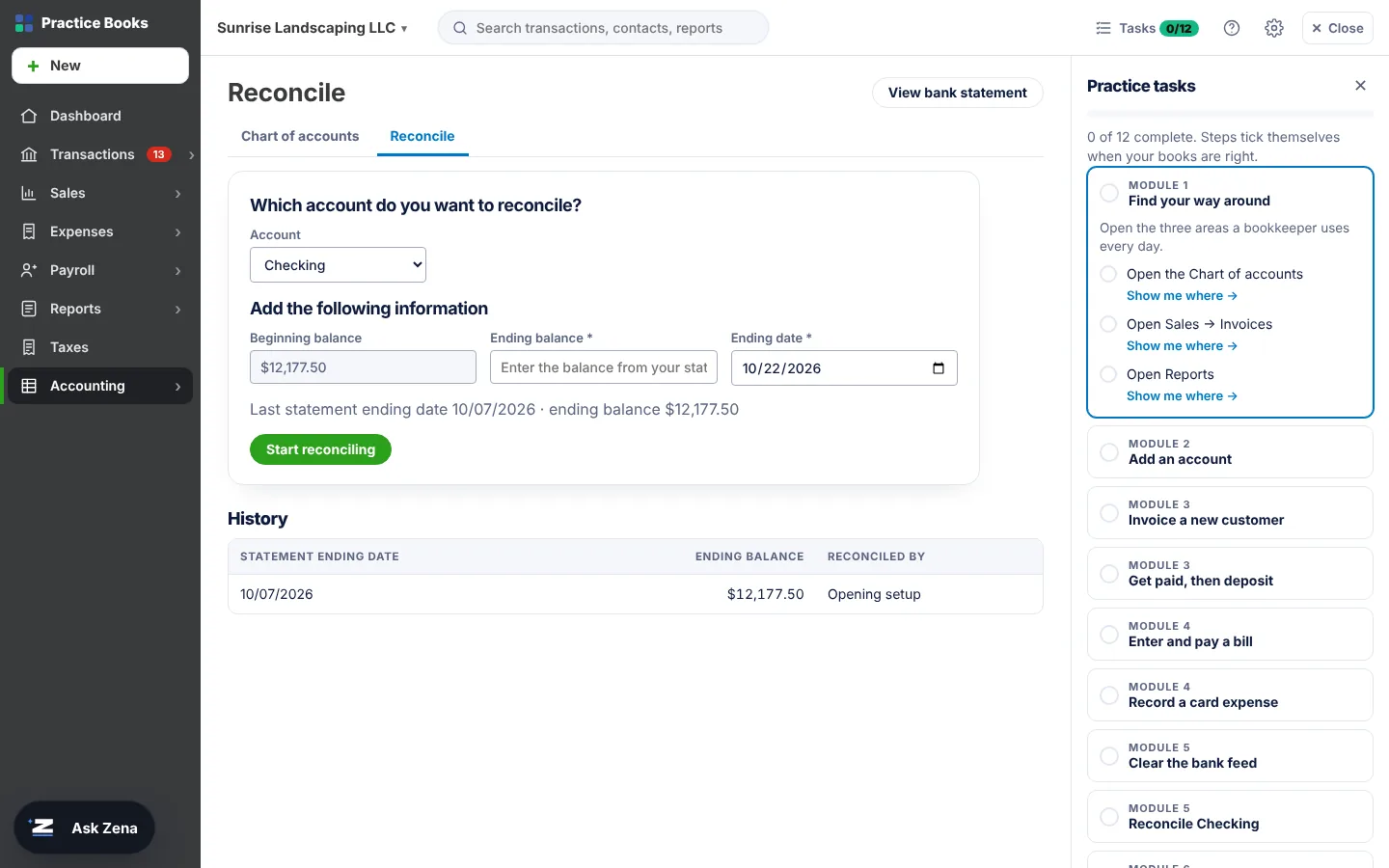
Talenta Practice Books is accounting software built into this website, with a sample US business: Sunrise Landscaping LLC. It works the way QuickBooks Online does. Create an invoice and A/R goes up. Receive the payment and it waits in Payments to deposit. Match the bank feed, reconcile, and the reports change the moment you save.
- Feels like the real thing: a left menu, a + New button, full-screen invoice and bill forms, a bank feed to review, a reconcile screen, and More → Transaction journal
- Invoices, payments, deposits, bills, expenses, bank feed, reconciliation, payroll and journal entries. Open any saved transaction to edit it.
- 12 guided tasks that check your work automatically across the course
- See the debit and credit behind every transaction as you type
- Live reports: Profit and Loss, Balance Sheet, Trial Balance, aging reports, General Ledger. Click any number to see the transactions behind it.
- Your practice company is saved to your account. Pick up where you left off on any device, or reset it any time.
A free Talenta Pros account is required to open Practice Books.
Talenta Practice Books is Talenta Pros’ own training software. It follows QuickBooks Online workflows but isn’t made by or affiliated with Intuit. QuickBooks is a trademark of Intuit Inc.
See it before you learn it
How QuickBooks Online really works, one step at a time
Choose a workflow to see it built step by step and follow the accounting behind each step.

Meet Zena — your AI accounting learning assistant
Learn a concept, practise the transaction, and ask Zena the moment you get stuck — any time, in your course language.
- Learn
- Practise
- Ask Zena
- Fix the mistake
- Practise again
- Accounting conceptsDebits and credits, accruals, A/R and A/P, explained with small worked examples.
- QuickBooks OnlineExact click paths for invoices, deposits, bank rules, reconciliation and reports.
- Inside Practice BooksZena looks at your practice company, explains what went wrong and can open the right form for you to check and save.
- Payroll and interviewsW-2, 941, FUTA and SUTA basics, and practice for common US-process interview questions.
Zena is a learning assistant. Payments, refunds, account problems and advice on anyone’s real tax situation go to the Talenta Pros team.
Go to + New → Bank deposit, tick the payment and save.
Dr Checking $480 / Cr Payments to deposit $480
Quick check: what would the bank feed show if you skipped this step?
A clear path for your background
No accounting background is required. Professionals from every field — engineering, healthcare, teaching, banking, BPO, hospitality and more — can move into QuickBooks work. Find yours and see the exact route.
From “I’ve never used this” to “send me the file.”
Eleven core modules (78 lessons, on every plan) and a 12-lesson QBO Payroll module (on Successful and Advanced Pros) — 90 lessons in all — that follow the real bookkeeping cycle — the same order you'll work in on the job. Every module ends with hands-on practice and a module check.
The skills US-process employers ask for
These are the tasks that appear again and again in bookkeeping, AR/AP and QuickBooks job postings — and where you practise each one.
| What employers ask for | What you'll actually do | Where you learn it |
|---|---|---|
| QuickBooks Online hands-on | Set up a company, navigate every menu, enter any transaction | M1M2 |
| Accounts Receivable | Invoice customers, apply payments, chase overdue balances | M3M6 |
| Accounts Payable | Enter and pay bills, track 1099 vendors, run A/P aging | M4M6 |
| Bank & credit card reconciliation | Work bank feeds, match transactions, reconcile to $0.00 | M5 |
| Month-end close | Follow a close checklist, post adjustments, lock the period | M9 |
| Financial reporting | Run, customise and explain the P&L and Balance Sheet | M8 |
| US payroll | Explain gross-to-net and payroll liabilities; run payroll in QBO (Successful & Advanced Pros) | M7QBO Payroll |
| Excel & automation | Bulk-import invoices, use AI assistants, build client dashboards | M10 |
| Interview preparation | Explain reconciliation, AR/AP and reporting workflows in role-based questions | M11 |
Run real US payroll in QuickBooks Online
Payroll is one of the most in-demand skills in US-process accounting — and one most beginners never practise. Our hands-on QBO Payroll course takes you from adding the first employee to year-end W-2s.
- Set up employeesW-4 details, pay rates, pay schedules and direct deposit
- Run payrollHourly and salaried pay, overtime, bonuses and deductions
- Payroll taxesFederal and state withholding, FICA, FUTA and SUTA
- Filings & formsQuarterly 941, annual 940 and year-end W-2s
- Liabilities & reportsPayroll liabilities, summary and tax reports
- Fix mistakesVoid, correct and adjust paychecks the right way
| Gross pay | 2,000.00 |
| Federal income tax (per W-4) | −180.00 |
| Social Security 6.2% | −124.00 |
| Medicare 1.45% | −29.00 |
| State income tax | −60.00 |
| Net pay | 1,607.00 |
Illustrative figures. Federal and state withholding depend on the employee's W-4 and state — you'll learn to calculate and check every line.
See exactly how you'll learn Free preview
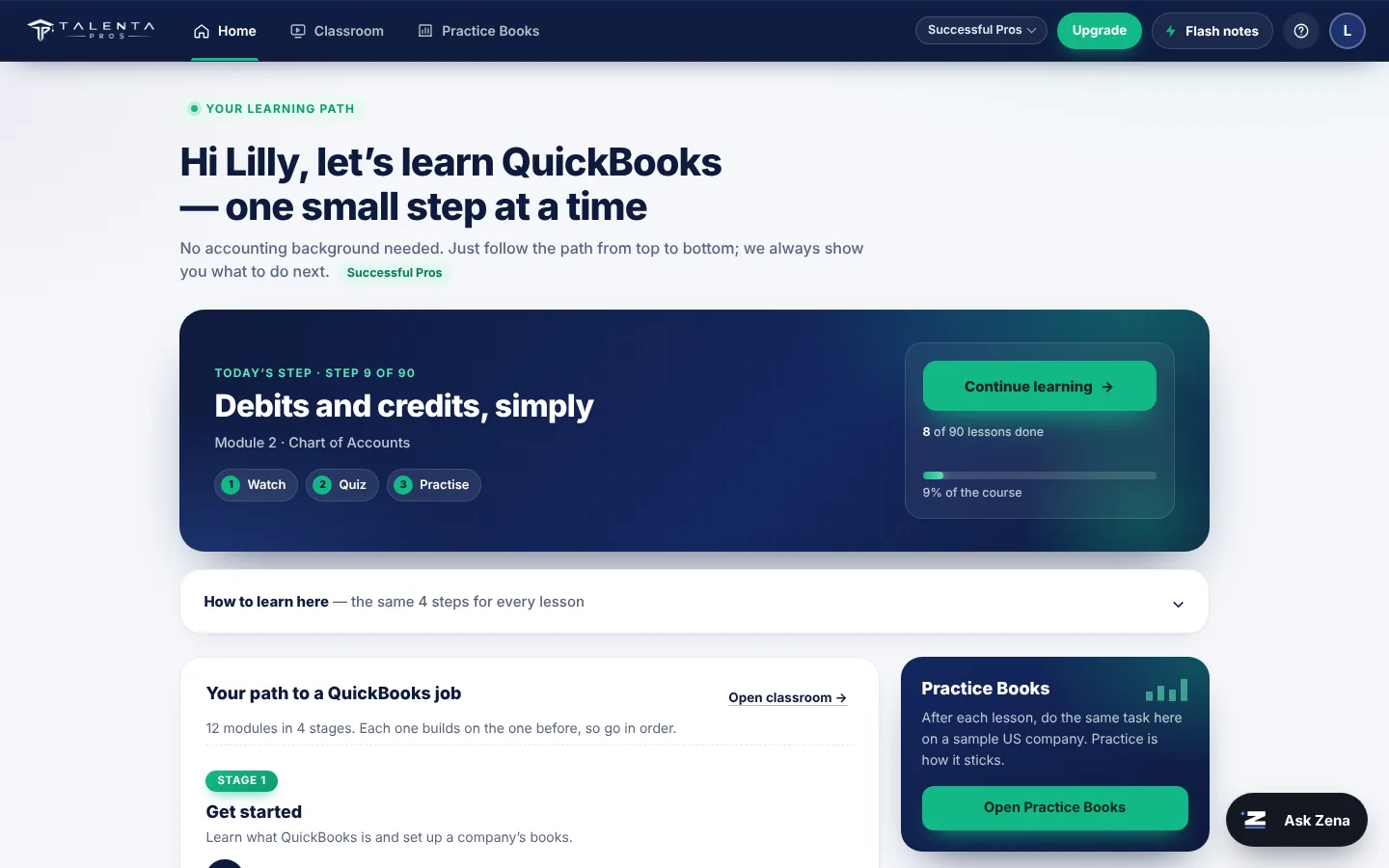
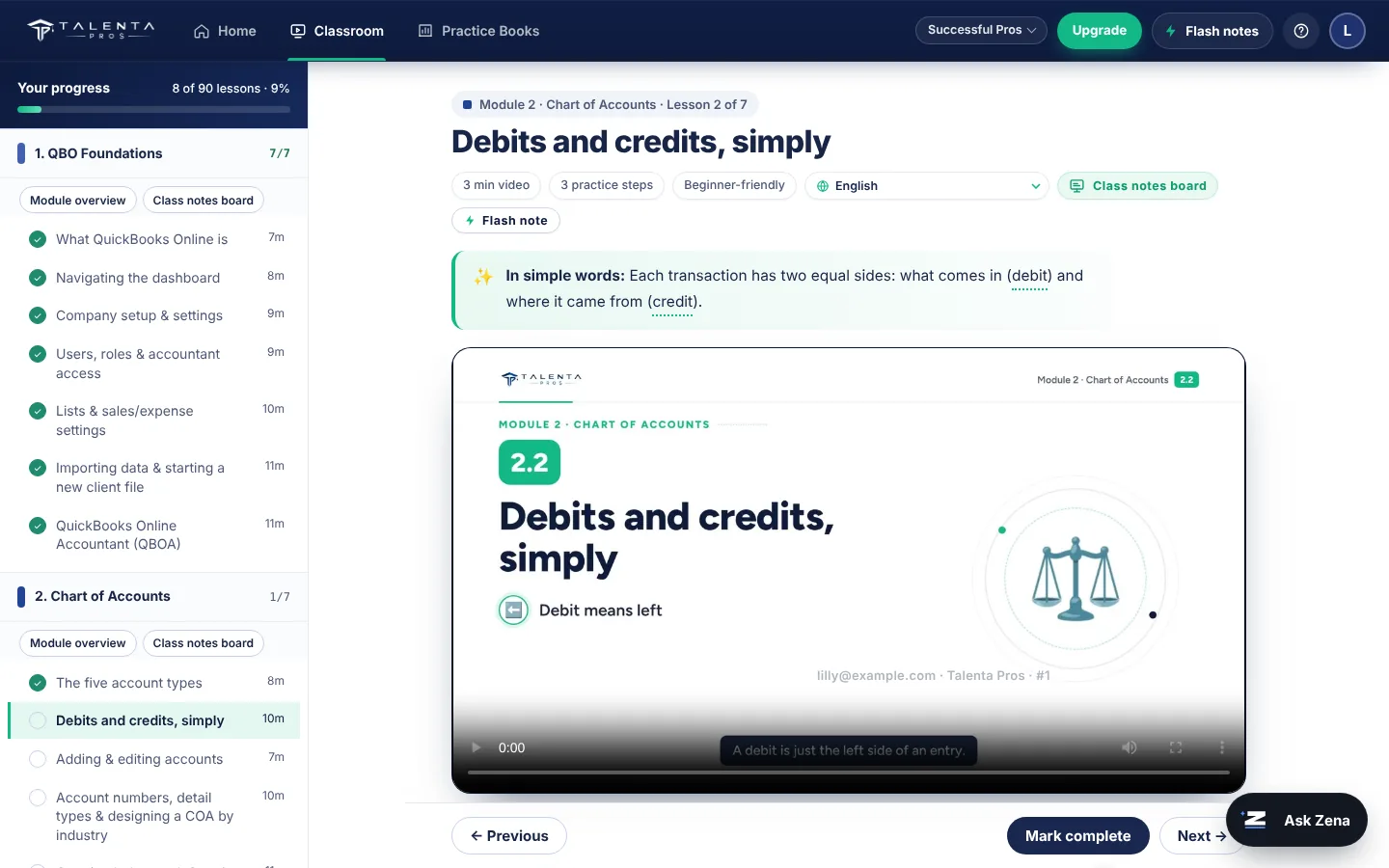
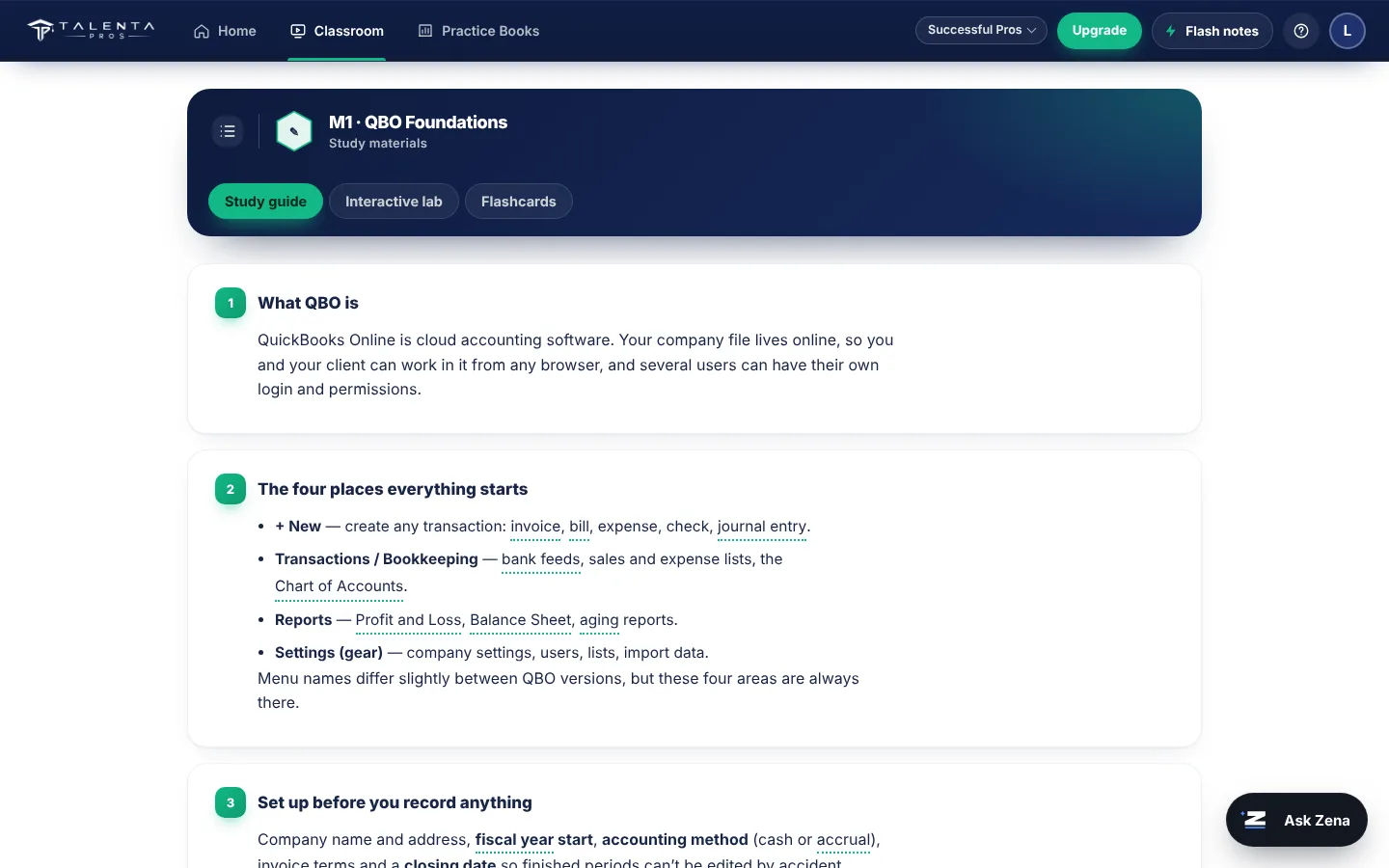
This is the learning portal. Open your dashboard, start a lesson, tick off the practice steps, write notes and answer the module check. Your course progress is saved to your account.
Your learning dashboard is inside your account
Register or log in to open your dashboard. Module 1 is a free preview; the remaining lessons unlock after your plan payment is confirmed.

Taught by someone who does the work
Talenta Pros is built from real US client work — the same bookkeeping, reconciliation and payroll tasks you practise here.
Durga Prasad Vuyyuru · Founder & CEO
- IRS Enrolled AgentAuthorised by the US Internal Revenue Service to represent taxpayers.
- 12+ years in US accountingBookkeeping, payroll, tax and month-end close for US businesses.
- Founder of HJA Global™ Inc.An accounting firm serving clients in the USA and India. Talenta Pros is its training unit.
Reviews from Durga's students
Verified reviews of Durga Prasad Vuyyuru's QuickBooks classes on UrbanPro.
I really really love the way he teaches he is pro and he has really good knowledge about QuickBooks.
Level of the QB knowledge is very high, highly recommended. Sir will teach from the beginning and will extend for additional support.
He is very experienced and professional. He is very friendly, patient and kind towards his profession. I like his teaching style. I would like to recommend him without any hesitation.
Skills first, then help getting hired
Included with Successful Pros and Advanced Pros: once you finish the course, we help you present those skills to employers.
- 01Resume buildingFrame your QBO and US accounting skills for recruiters — even with a non-commerce degree.
- 02Interview preparationCommon technical questions on reconciliation, AR/AP and reports, with model answers.
- 03Job-search guidanceWhere to look, which titles to search, and how to apply for US-process accounting roles.
Roles this prepares you for
Typical openings for QBO and US-accounting skills in India.
Salaries for these roles range roughly from ₹2 LPA to ₹20 LPA depending on experience, city and employer. Talenta Pros provides training and job support; we do not guarantee or offer jobs.
Plan your route to a US accounting job
Choose the role you want and how much time you can give each week. You'll get a week-by-week plan, the skills you'll put on your resume and your next steps.
Best things you can do to get hired
Pay once. Learn at your own pace.
Three one-time plans from ₹999 + GST. No monthly fees, no batches to wait for.
Try Module 1 free for 7 days, then decide.
- Full access: all 11 core modules (78 lessons; the 12-lesson QBO Payroll module comes with Successful and Advanced Pros)
- English-language lessons
- AI support: ask doubts on any lesson and get instant, step-by-step answers
- Practice exercises and module quizzes
- AI + QBO workflows and dashboards
- Recorded sessions in your choice of English, Hindi, Telugu, Tamil, Malayalam or Kannada
- Resume building, plus interview and job-search support
- QBO Payroll course: set up employees, run payroll, file payroll taxes
- Payroll practice exercises and quiz
- Lesson updates as QBO changes, for your full year
- Lifetime access, no renewal ever
- Lesson updates as QBO changes, for life
- Job Assistant for life: resume, interview and job-search help whenever you need it
- AI support for life
- Come back and revise any time you switch jobs
Compare pricing & features.
| Compare plans | Best Pros | Successful Pros | Advanced Pros |
|---|---|---|---|
| QBO + US Accounting (11 core modules, 78 lessons) | ✓ | ✓ | ✓ |
| Lesson language | English | 6 languages | 6 languages |
| QBO Payroll course | — | ✓ | ✓ |
| Lesson updates as QBO changes | — | ✓ 1 year | ✓ Lifetime |
| AI support for your doubts | ✓ 1 year | ✓ 1 year | ✓ Lifetime |
| Resume building, interview & job-search support | — | ✓ 1 year | ✓ Job Assistant for life |
| Access period | 1 year | 1 year | Lifetime |
| Price (one-time, + GST) | ₹999 | ₹1,499 launch offer regular ₹1,999 | ₹2,999 |
Upgrading later, and more ways to save
All prices are one-time payments and exclude 18% GST, which is added at checkout. Job support is included with Successful Pros and Advanced Pros. Talenta Pros provides training and job support; we do not guarantee or offer jobs.
Questions learners ask
Everything learners usually ask before enrolling — plans, access, refunds and jobs.
Do I need an accounting or commerce background?
No. The course starts with what debits and credits are and builds from there. Engineers, pharma professionals, teachers and students all start at the same place.
Is this live classes or self-paced?
Fully self-paced. Every lesson is on the portal, available any time for one year from the day you enroll, or for life on the Advanced Pros plan.
Which plan should I choose?
Best Pros (₹999) covers the full course in English with AI support for your doubts. Successful Pros (₹1,499 launch offer, regularly ₹1,999) adds resume building, interview and job-search support, recorded sessions in English, Hindi, Telugu, Tamil, Malayalam and Kannada, a hands-on QBO Payroll course and lesson updates whenever QBO changes — best if you want payroll roles. Advanced Pros (₹2,999) is Successful Pros for life — lifetime access, AI support and updates, plus a Job Assistant for life.
What if the course isn't right for me?
Try before you pay. Every free account gets a 7-day trial with Module 1 fully unlocked, so you can see the lessons, practice and class notes first. Payments are non-refundable once a plan is bought, so please use the trial to decide.
How long is the ₹1,499 launch offer?
Successful Pros is ₹1,499 for our first 1,000 learners. After that it returns to its regular price of ₹1,999.
Can I upgrade later?
Yes. Open Plans from My account (or this page) and choose the higher plan. What you have already paid is credited automatically, so you pay only the difference plus GST.
Do I need to know coding?
No coding at all. You'll work entirely inside QuickBooks Online and spreadsheets.
How do I log in to my course?
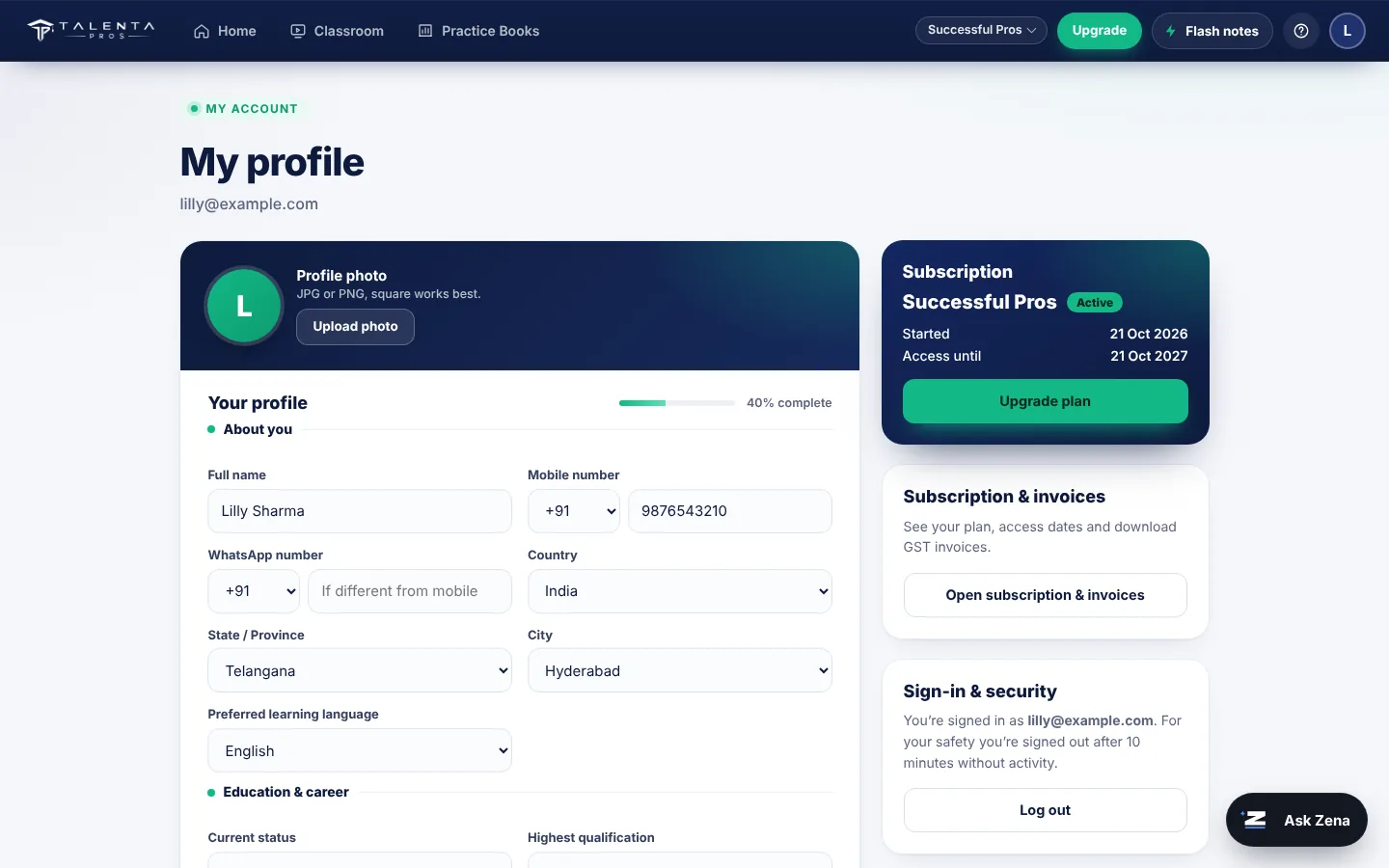
Click Login at the top of the site and sign in with Google, your email or your mobile number — the way you signed up. Your account works on one device at a time; signing in on a new device asks whether to continue there and signs the other device out. Your progress is saved to your account.
What do I need to start?
A laptop or desktop with internet is best for practising in QuickBooks. You can watch lessons and take quizzes on your phone.
Do I need to buy QuickBooks?
No. You practise in Talenta Practice Books, our QuickBooks-style training software built into the portal, and on Intuit's free QuickBooks Online test-drive company, which we show you how to open in the first module.
What can Zena, the AI tutor, help with?
Zena answers questions on accounting, bookkeeping, US payroll basics, QuickBooks Online and your lessons, any time, in your course language. Inside Practice Books it can look at your practice company to explain what went wrong. It does not handle payments, refunds or account problems, and it does not give advice on anyone's real tax situation — for those, contact the Talenta Pros team. A fair-use limit stops misuse; normal studying never reaches it.
Can I share my account or record the lessons?
No. Each account is for one learner and can be signed in on one device at a time. Lesson videos carry a watermark linked to your account, and screen-recording or sharing lessons or logins leads to the account being closed without a refund. You accept these rules in the Learner Agreement before paying.
What does job support include?
On Successful Pros and Advanced Pros: help building a US-style resume around your QBO skills, interview preparation with common technical questions and model answers, and guidance on which roles to search for and how to apply. It lasts for your 1-year access on Successful Pros and for life on Advanced Pros. Job support helps you apply well; it is not a placement service.
Can I study only on my phone?
You can watch lessons, read class notes, take quizzes and ask Zena on a phone. For Practice Books — invoices, bank feeds, reconciliation — a laptop or desktop works much better because the screens are wide, like QuickBooks Online.
Will I get a job after the course?
We don't guarantee or offer jobs. Every plan gives you practical skills; Successful Pros and Advanced Pros add resume building, interview and job-search support so you can apply with confidence.
Is the course available in regional languages?
Yes. Successful Pros and Advanced Pros include recorded sessions in English, Hindi, Telugu, Tamil, Malayalam and Kannada. You pick one at checkout and it can’t be changed later. Best Pros is taught in English.
Start with one business event.
Then follow it all the way to a balanced report — and a skill you can take to work.
You don’t need a finance degree to start.
Start your free trial